
Is Using GBWhatsApp as a Linked Device Safer?
In the past, most people used GBWhatsApp as their main messaging app. But things have changed a lot recently.
Now, many users are using a different method:
- Official WhatsApp on the main phone
- GBWhatsApp connected as a linked companion device
This setup has become extremely popular because users believe it’s more stable and less risky than logging directly into GBWhatsApp as the primary app.
But is it actually safer?
The short answer is: usually yes — but it’s still not completely risk-free.
In this article, we’ll explain why so many people switched to companion mode, how it works, and what risks still exist in 2026.
Why People Started Using GBWhatsApp as a Linked Device
A few years ago, users mostly installed GBWhatsApp directly and verified their number normally.
But over time, WhatsApp became more aggressive toward unofficial apps. Many users started seeing messages like:
- “You need the official WhatsApp to use this account”
- Temporary bans
- Verification failures
- Login problems
That’s when companion mode became popular.
Instead of using GBWhatsApp as the main app, users now keep the official WhatsApp app on their primary phone and simply link GBWhatsApp as a secondary device through QR code pairing.
For many users, this feels much safer because:
- The official app remains the main account holder
- GBWhatsApp acts more like a connected client
- Verification happens through official WhatsApp
- The account looks more “normal” to WhatsApp systems
This method is now widely discussed in GBWhatsApp communities and Reddit threads because it often works better than direct login.
How Companion Mode Actually Works
The setup is pretty simple.
Your main phone runs official WhatsApp.
Then on another Android device, you open GBWhatsApp and choose:
“Link as Companion Device”
A QR code appears.
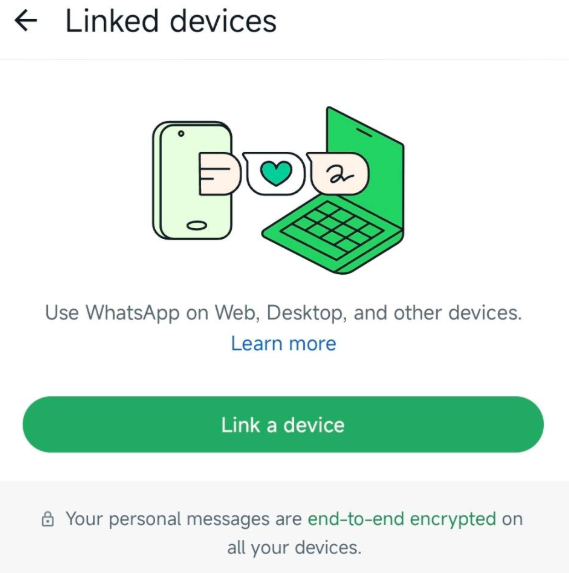
You scan that code using the Linked Devices feature inside official WhatsApp.
Once connected, GBWhatsApp becomes a secondary linked device, similar to WhatsApp Web or WhatsApp Desktop.
That means:
- Your main account still stays on official WhatsApp
- Chats sync to GBWhatsApp
- Messages can be sent from both devices
- The second device stays connected independently in many versions
This is very different from the old method where GBWhatsApp directly replaced official WhatsApp completely.
Is It Really Safer?
For most users, yes — companion mode does seem safer than using GBWhatsApp as the primary app.
But “safer” does not mean “completely safe.”
There are still risks involved.
Why It’s Considered Safer
1. Official WhatsApp Stays the Main Device
This is probably the biggest reason.
Your account verification and main session remain on the official app.
Because of that, WhatsApp may treat the account more like a normal linked-device setup instead of a fully unofficial client replacing the original app.
That’s why many users who previously got warnings can suddenly use companion mode without issues.
2. Fewer Login Problems
Directly registering phone numbers on GBWhatsApp became increasingly unreliable over time.
Companion mode avoids many of those problems because:
- The account is already active on official WhatsApp
- You don’t need separate SMS verification on GBWhatsApp
- QR linking is often smoother
For many users, this method simply works better.
3. Lower Chance of Immediate Detection
Many users believe companion mode attracts less attention from WhatsApp systems compared to directly running GBWhatsApp as the primary app.
This doesn’t mean WhatsApp cannot detect it.
But compared to older methods, users often report:
- Fewer warnings
- Longer stability
- Less frequent forced logouts
That’s one reason companion mode became so popular in the first place.
But There Are Still Risks
Even though companion mode is safer than before, there are still important things to understand.
1. GBWhatsApp Is Still Unofficial
This part never changes.
No matter how you use it, GBWhatsApp is still a modified version of WhatsApp created by third-party developers.
That means:
- It’s not officially supported
- Features can break after updates
- WhatsApp policies can change anytime
- Future restrictions are always possible
Companion mode reduces risk — it does not remove it completely.
2. Some APK Files Are Unsafe
This is honestly one of the biggest dangers today.
Many users download GBWhatsApp from random websites filled with fake buttons, modified APKs, or suspicious ads.
A bad APK can include:
- Malware
- Hidden trackers
- Adware
- Privacy risks
And because companion mode syncs your chats, unsafe APKs become an even bigger concern.
This is why experienced users are extremely careful about where they download GBWhatsApp.
3. Updates Can Break Companion Mode
This happens quite often.
Sometimes after WhatsApp updates its linked-device system, companion pairing suddenly stops working.
Users may see errors like:
- “Couldn’t link device”
- QR code expired
- Sync failed
- Device disconnected unexpectedly
Usually developers release fixes later, but there can be periods where companion mode becomes unstable.
That’s why many users avoid updating immediately after major WhatsApp releases.
Who Is This Setup Best For?
Companion mode is popular among users who:
- Want extra customization features
- Need one account across multiple phones
- Prefer GBWhatsApp themes and privacy tools
- Want lower ban risk compared to direct login
For casual users, it often works surprisingly well.
But if your account is extremely important for business, banking, or sensitive communication, official WhatsApp is still the safest choice overall.
Tips to Use Companion Mode More Safely
If you decide to use this setup, a few habits can reduce problems significantly.
Use Trusted APK Sources
Avoid random websites with misleading downloads.
Always check:
- Version details
- User feedback
- File consistency
- Security scans when possible
Keep Backups
Before updating GBWhatsApp or reconnecting devices, back up your chats first.
Unofficial apps can occasionally break after updates.
Avoid Constant Re-Linking
Repeatedly disconnecting and reconnecting devices may trigger unusual activity warnings.
It’s better to keep your linked setup stable.
Don’t Rush Into New Updates
Some new releases introduce bugs temporarily.
A lot of experienced users wait a few days before updating.
Final Thoughts
Right now, using GBWhatsApp as a linked device is generally considered safer than using it as the main app.
That’s why so many users moved to this setup.
Keeping official WhatsApp as the primary device seems to reduce a lot of the common login and verification problems people used to face.
Still, it’s important to remember that GBWhatsApp is unofficial software.
There’s always going to be some level of risk, especially with privacy, updates, and long-term account safety.
For most casual users though, companion mode currently feels like the most practical way to use GBWhatsApp with fewer headaches.